| |
| |
|
|
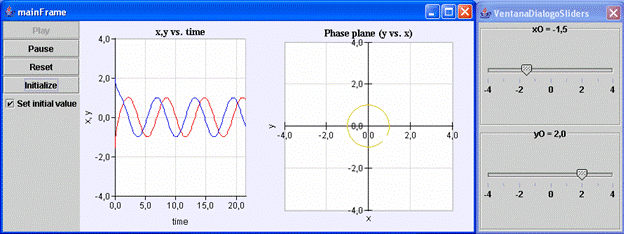
Fig.
7.2: View of the virtual-lab. |
|
|
|
|
|
| System
description |
| |
| This
virtual-lab illustrates the concept of "limit cycle", by using
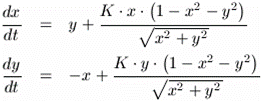
the following mathematical model: |
|
| |
The
initial conditions are the following: |
|
| |
For
any initial values of  and
and  (except
  ),
it is satisfied that if ),
it is satisfied that if  ,
then ,
then  . . |
| The
limit cycle is a circle centered at the origin with radius 1 (i.e., the
unit circle). |
|
|
| Introduction |
| |
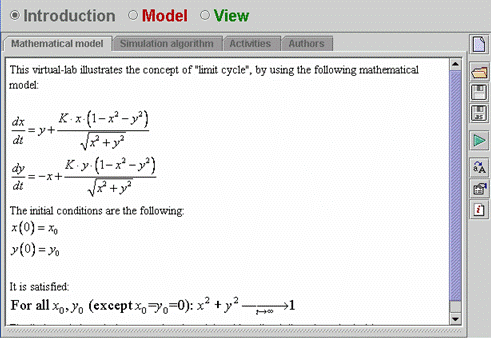
| The Introduction panel of the virtual-lab is shown in Fig. 7.18. |
| |
|
Fig.
7.18: Introduction of the virtual-lab. |
| |
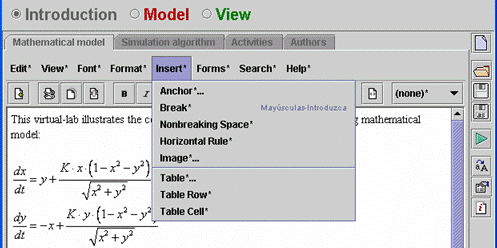
| The mathematical expressions are images. In order to insert a image in
a Introduction page, click on Insert on the menu bar and next click on Image
(see Fig. 7.19). |
| |
|
Fig.
7.19: Inserting a image. |
| |
|
|
| Model |
| |
| The
mathematical model is composed of the two following equations: |
|
| |
The model has three variables: two state variables (
and )
and one parameter ( ).
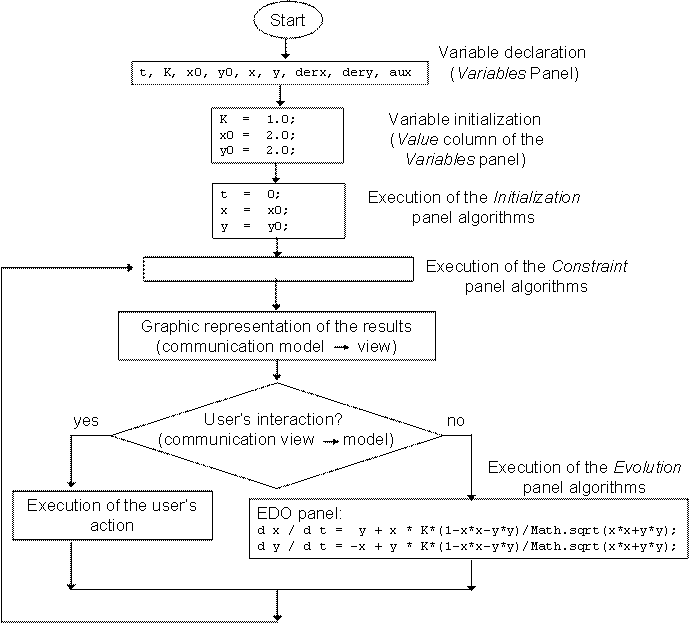
The simulation algorithm is shown in Fig. 7.20. ).
The simulation algorithm is shown in Fig. 7.20. |
| |
|
Fig.
7.20: Ejs' simulation algorithm. |
| |
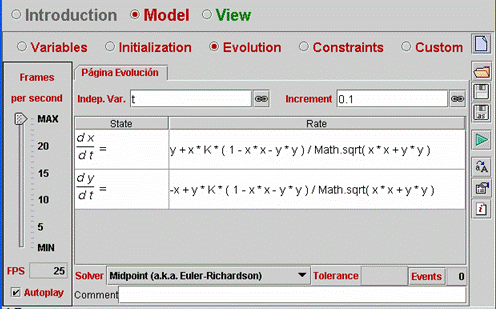
| The
model equations are defined in a ODE page of the Evolution panel (see Fig.
7.21). |
| |
|
Fig.
7.21: Evolution panel. |
| |
|
|
| View |
| |
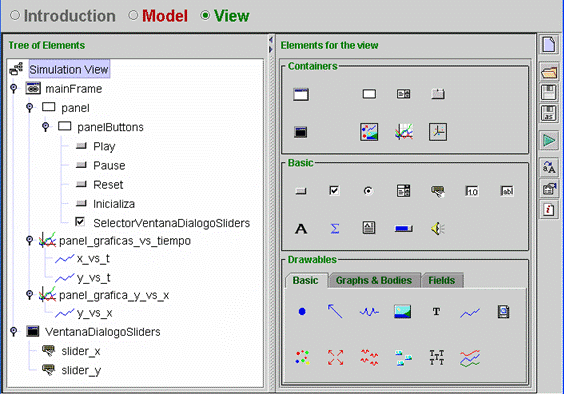
| The
tree of elements is shown in Fig. 7.22. Open the virtual-lab and look at
the properties of the tree elements. |
| |
|
Fig.
7.22: Tree of elements. |
|